
AI Image Creation Workbench
Choose from 17 image models, see the exact credit cost, and create or edit up to four variations in one run.
Describe the image you want to generate
Best for: Fast everyday creation and edits
Generation Tips: Use detailed descriptions for more accurate results
Output Gallery
Ready for instant generation
Enter your prompt and unleash the power
What the AI image generator can make
Sample images created from short text prompts
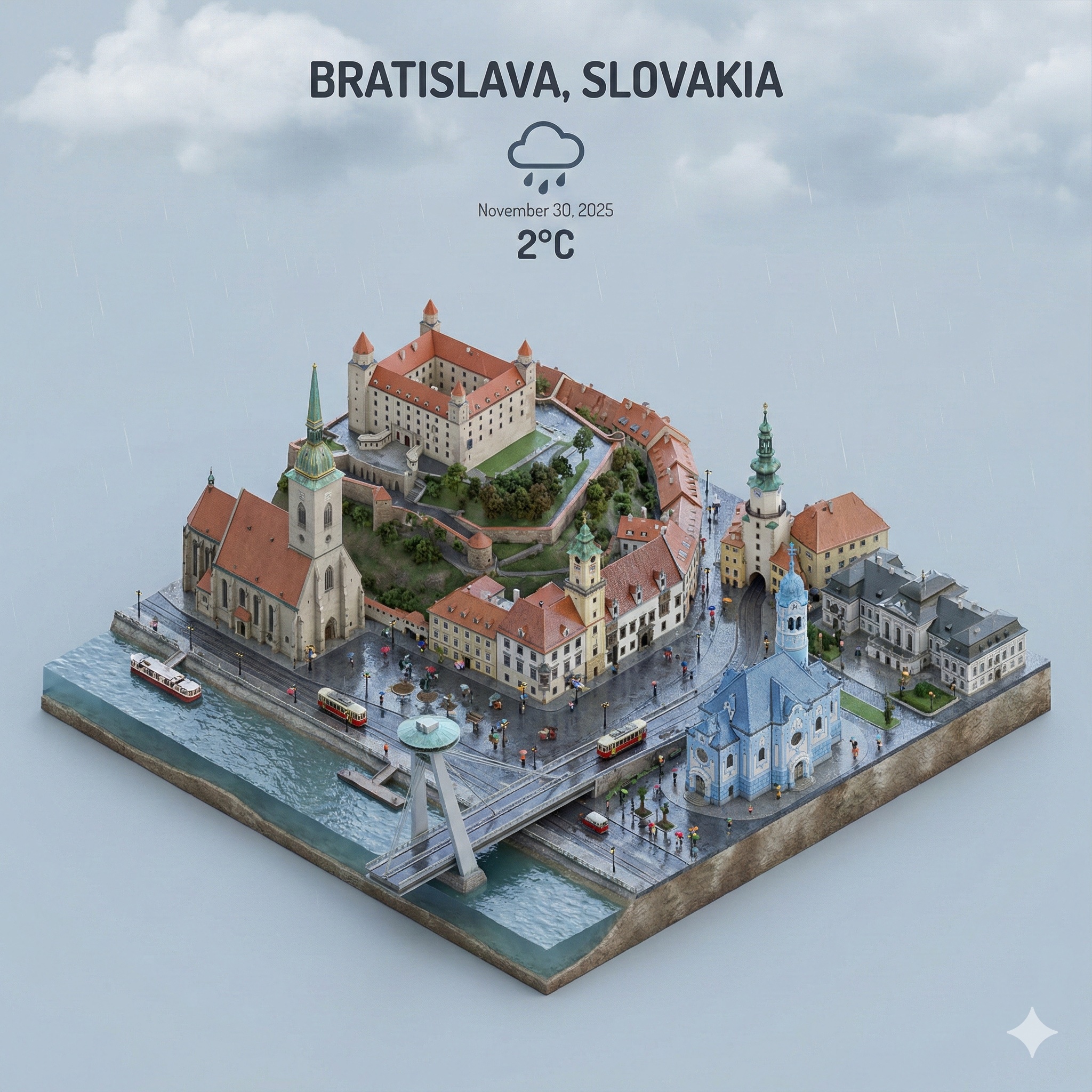
Isometric City Miniature
Present a clear, 45° top-down isometric miniature 3D cartoon scene of [CITY], featuring its most iconic landmarks and architectural elements. Use soft, refined textures with realistic PBR materials and gentle, lifelike lighting and shadows. Integrate the current weather conditions directly into the city environment to create an immersive atmospheric mood. Use a clean, minimalistic composition with a soft, solid-colored background. Square 1080x1080 dimension.
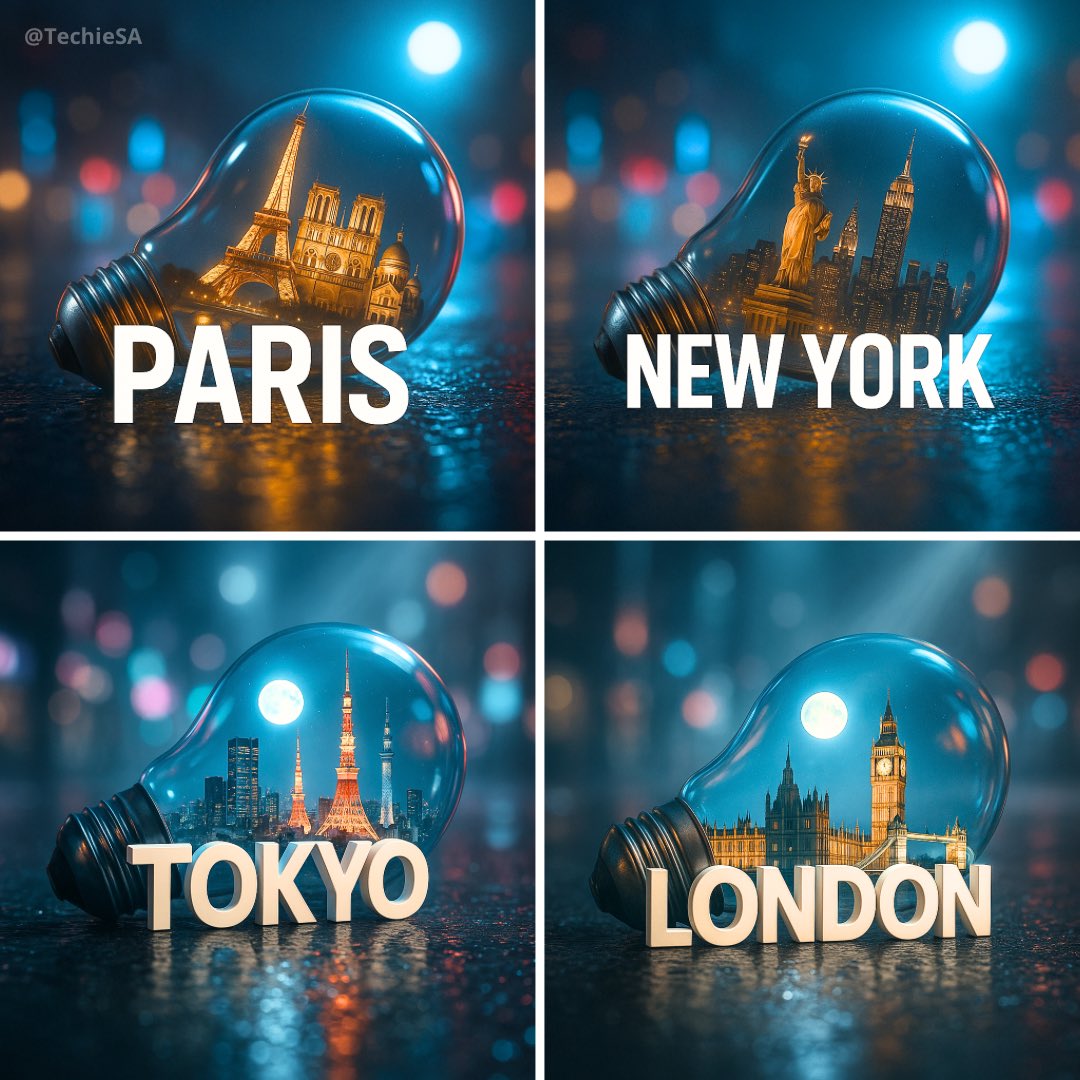
City in Light Bulb
Create a hyper-realistic, stylish poster featuring a light bulb lying on wet urban asphalt. Inside the bulb, place a miniature version of [CITY] with its iconic landmarks. A sleek white 3D text of the city name should stand prominently in front of the bulb. The background is a softly blurred cityscape with neon lights reflecting on the bulb's glass and the wet pavement. Add volumetric moonlight for depth and atmosphere.
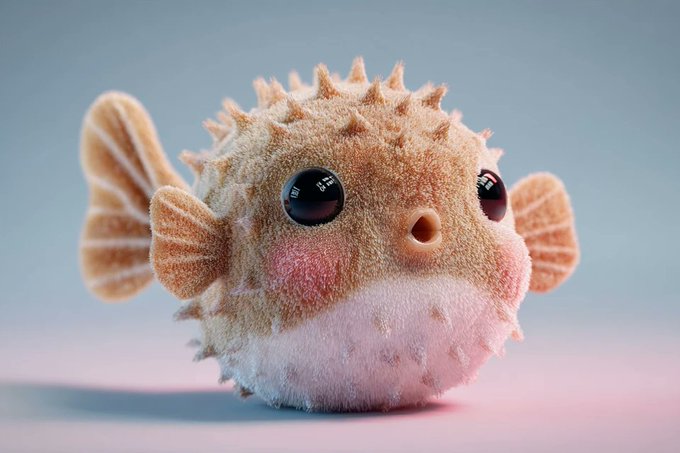
Plush 3D Model
A soft and plush 3D model of a [subject] with a [key detail], rendered in a cute, stylized aesthetic. The texture appears velvety, squeezable, and toy-like, emphasizing the charm of animated designs. Clean background, centered composition, soft ambient lighting, pastel tones, subtle shadows, high-resolution render, front-facing view.
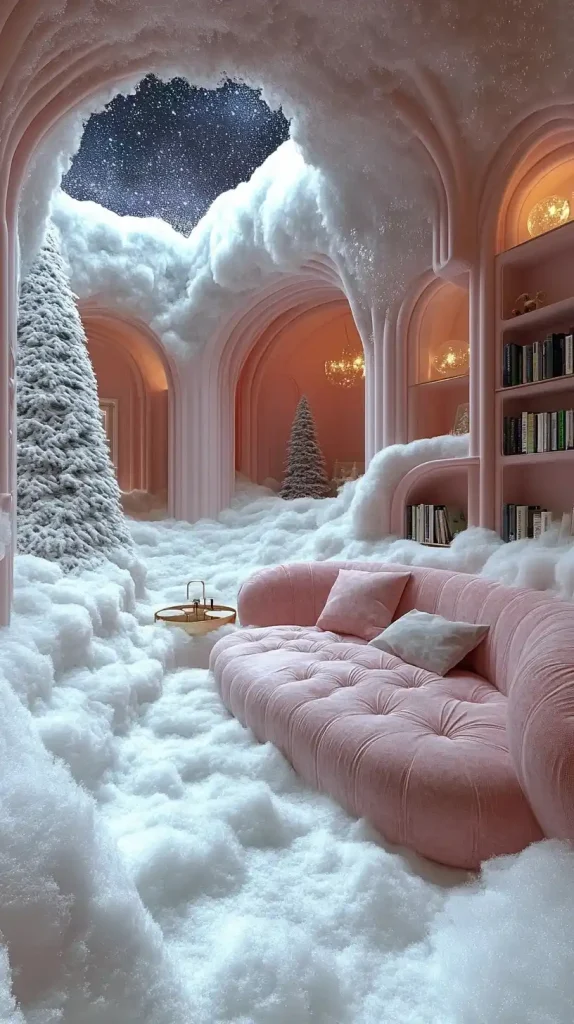
Surreal Snowy Interior
An unusual room decorated in the style of surrealism. The interior resembles a snowy landscape - the floor, walls and ceiling are covered with white layers of snow. In the centre, a soft pastel-coloured sofa and a small coffee table. Lights in the form of Christmas tree toys hang from the ceiling. In the distance, a continuation of the snowy space can be seen through arched openings, illuminated by soft moonlight, with a starry sky visible behind it. Dreamy atmosphere with contemporary design.
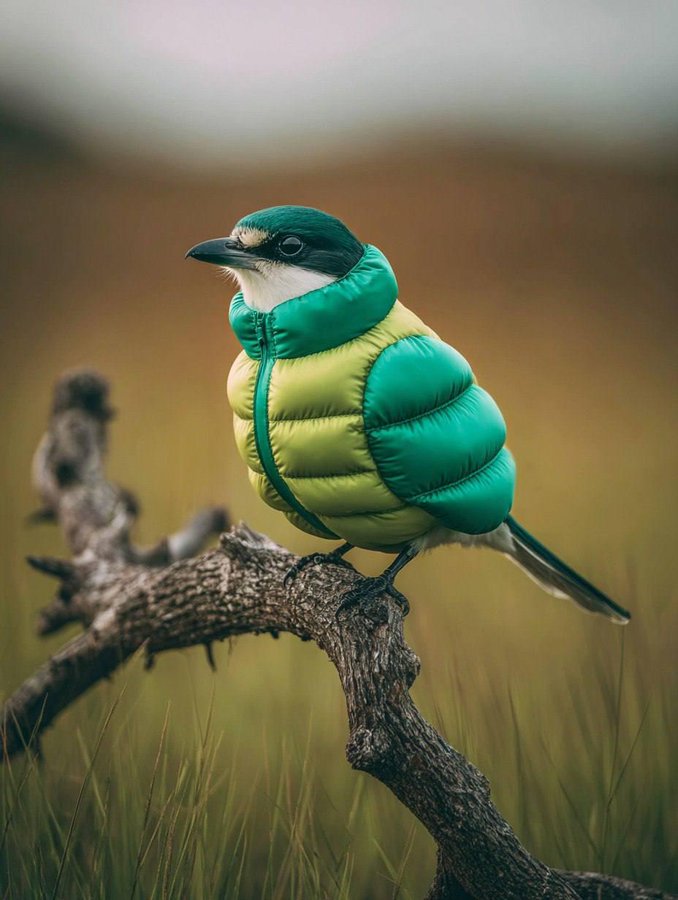
Bird in Inflatable Jacket
A bird wearing an inflatable [COLOR] down jacket perched on the top of a dry tree branch. The background is a blurred green grassland, in the style of real photography with natural lighting.
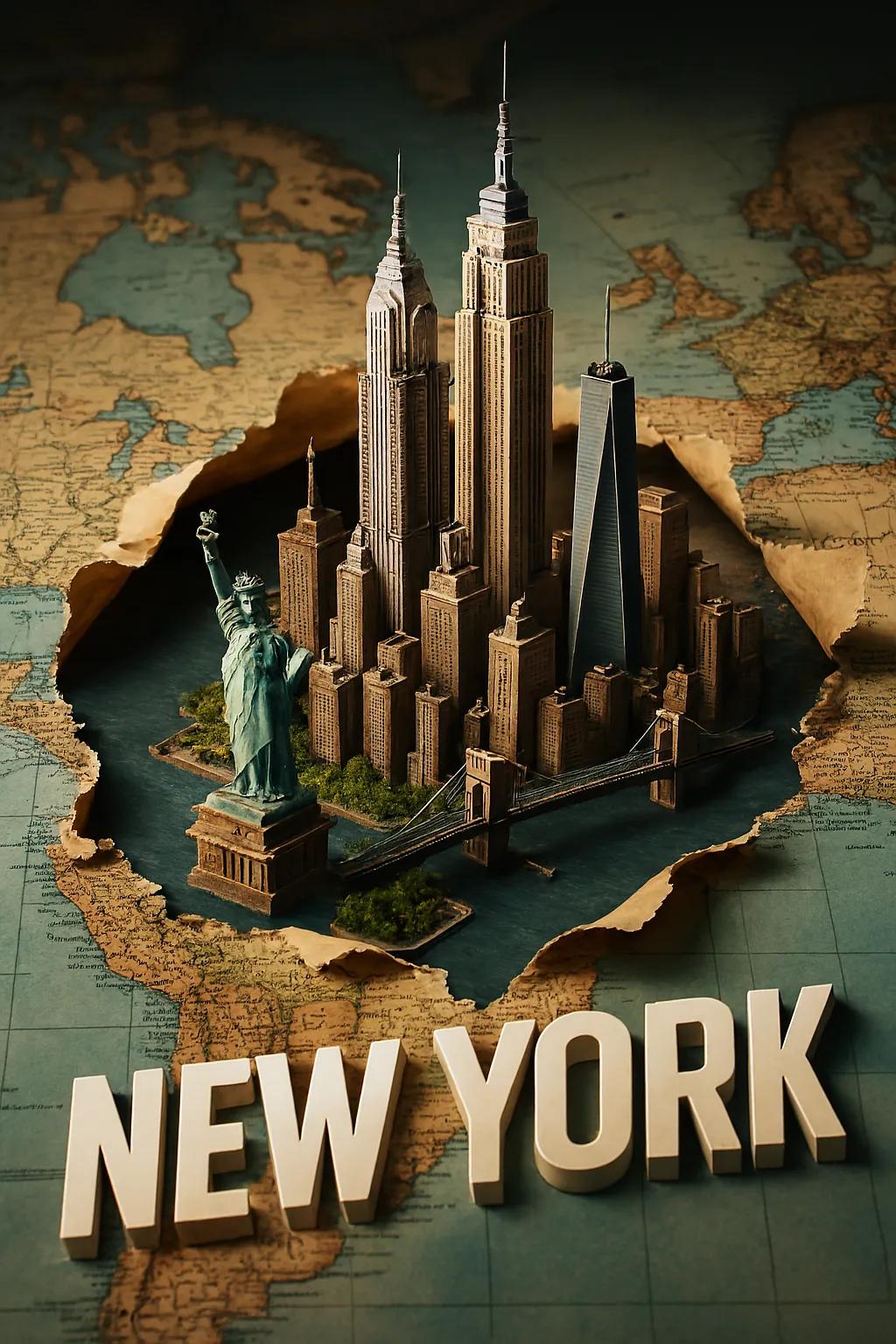
3D City Travel Poster
Create a stylish 2:3 poster featuring a miniature 3D model of [CITY], showcasing its iconic landmarks bursting through a torn, horizontally laid world map. Integrate the city into the map seamlessly with realistic shadows and depth. Add a sleek white 3D text of the city name that blends naturally into the scene. Use dramatic camera perspective, crisp lighting, and a premium travel-poster aesthetic.
Why use this AI image generator
Built to pair with a layer-based editor such as PhotoCraft
Lightning Fast Generation
The generator creates high-quality images in seconds, not hours. Perfect for tight deadlines and rapid prototyping.
Cost-Effective Solution
See the exact credit cost before every generation and choose a model that fits the job and budget.
Precise Control
Fine-tune every aspect of your images with detailed prompts and advanced parameters.
Professional Quality
Get commercial-grade results suitable for marketing, presentations, and publication.
How to use the AI image generator
From prompt to downloadable image in a few steps
- 1
Enter Your Prompt
Type a detailed description of the image you want to create. Be specific about colors, style, and composition.
- 2
Add Reference Images (Optional)
Upload reference images to guide the AI and achieve more precise results that match your vision.
- 3
Click Generate
Hit the generate button and watch as AI transforms your words into stunning visual content.
- 4
Download & Use
Download your generated images in high resolution and use them for any purpose you need.
Powerful Features for Creative Freedom
Everything you need to create perfect images
Multiple Art Styles
Choose from various artistic styles including photorealistic, cartoon, oil painting, watercolor, and more.
Advanced Parameters
Control aspect ratio, resolution, and other technical parameters for professional results.
High Resolution Output
Resolution and output format are shown per model so you can choose the right production workflow.
Batch Generation
Create multiple variations of the same prompt to explore different creative possibilities.
Cloud Storage
All your generated images are securely stored in the cloud for easy access anytime.
Mobile Friendly
Use our AI image generator on any device - desktop, tablet, or smartphone.
Frequently Asked Questions
How long does it take to generate an image?
Most images are generated within 10-30 seconds, depending on complexity and server load.
What image formats are supported?
We support PNG, JPG, and WebP formats. You can download images in your preferred format.
Can I use generated images commercially?
Yes, you may use the images you generate, including commercially, as far as the law and the terms of the model you chose allow. You are responsible for the prompts and reference images you provide. See the Terms of Service for details.
How do I write better prompts?
Be specific and descriptive. Include details about style, lighting, colors, and composition for better results.
Is there a limit to how many images I can generate?
Generations use credits. New eligible accounts receive 64 credits, equal to 8 standard Nano Banana images or 2 Nano Banana Pro images.
Can I edit images after generation?
Yes. Switch to Image Edit, upload up to five reference images, describe the change, and choose any model that supports editing.